
Parametric models · practical guides
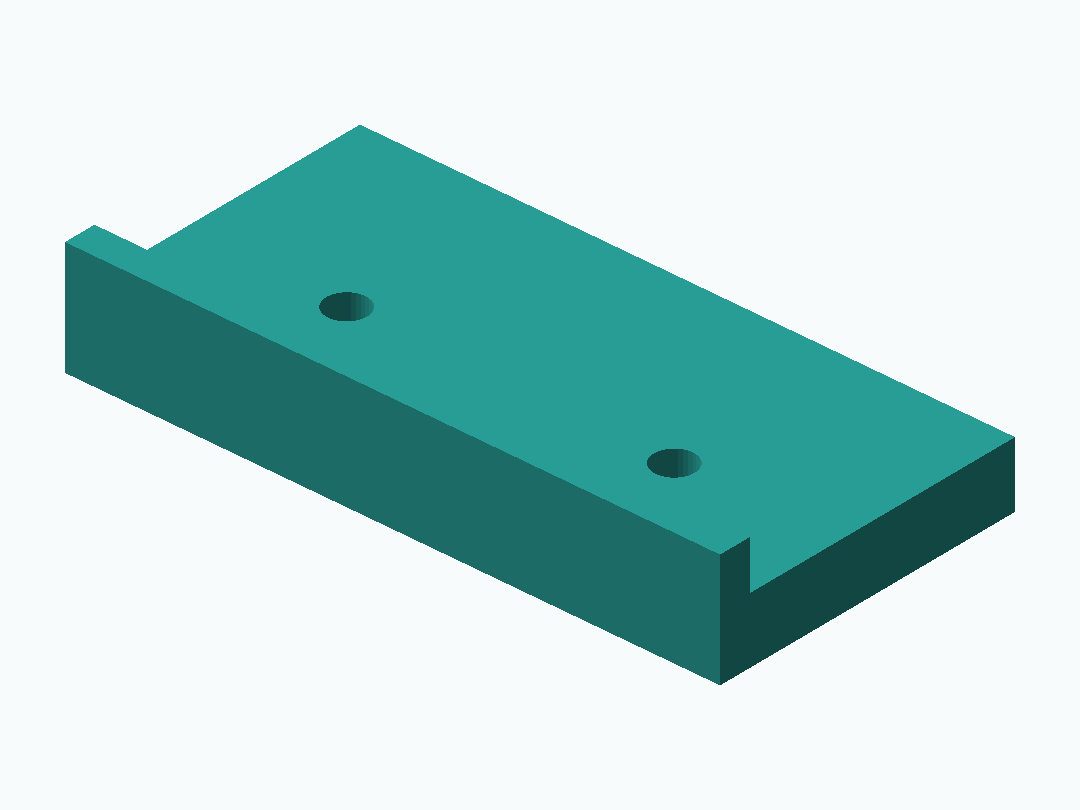
Position two holes from a reference edge
A jig reduces repeat measurement only when its locating edge and hole spacing are checked against the actual workpiece.
Download these original sample files directly. Creating models, checking files and AI edits in PurCad use the credit terms shown before each paid action.
Files
Open the SCAD workspace, upload model.scad as the main source, change a parameter and compile. Compare the dimensions, then download the STL from that successful build.
Download these original sample files directly. Creating models, checking files and AI edits in PurCad use the credit terms shown before each paid action.
Parameters to check
| Parameter | Value | Checked endpoint values |
|---|---|---|
hole_spacing | 40 mm | 24 / 60 |
edge_offset | 16 mm | 10 / 24 |
guide_hole_diameter | 5 mm | 3 / 8 |
Geometry evidence
Model file bounds, including any arranged parts: 80 × 40 × 14 mm.
A displayed model and its dimensions are geometry evidence, not proof of physical fit, strength, electrical clearance, or print success.
Build measurements (JSON)Measure the locating edge and centers
Record the distance from a stable edge to the first hole and the center-to-center spacing. Mark which side of the material the jig references.
Validate the jig before the final workpiece
Check the printed guide against calipers and use a sacrificial piece first. Printing a jig does not guarantee drill perpendicularity, clamping stability, or hole quality.