
Workflow
Make your own STL file from measurements
Make a custom STL when a downloaded model does not fit your job. Start with measurements, describe the part, inspect its editable CAD and export a mesh for a fit test. Keep the source project for the next revision.
Plan your own STL around a real interface
- Measure the object the print must fit around, including depth, obstruction, and insertion direction.
- Choose a wall thickness and clearance appropriate for your printer and material.
- Keep the source CAD project for later dimensional revisions; the exported file is a separate deliverable.
Measure the interfaces before describing the shape
Record the space available and the surfaces, shafts, holes or fasteners the part must meet. Add clearance, wall thickness and manufacturing method. These facts are more useful than a visual description such as small bracket or simple holder.
Describe, inspect, adjust and export
Generate a bounded first draft, rotate it in the viewport and inspect the named sizes. Change supported values directly and keep each accepted result as a recoverable version. Export STL only from the version you have reviewed.
Use a cheap fit test as part of the design loop
Open the STL in the target slicer, confirm units and overall bounds, then print the smallest sample that exercises the critical interface. Feed the measured correction back into the editable dimensions instead of scaling the whole mesh.
The generator cannot supply measurements you never took
Defaults are useful for a draft, not for an exact fit. PurCad does not certify strength or manufacturing safety. Measure critical interfaces, inspect every assumption and use qualified review when failure can cause injury or damage.
Open the evidence
Inspect a real 40-tooth OCCT project
See the exact inputs, multi-view geometry evidence and honest boundary, then open the ready project in the editor.
View the chainring case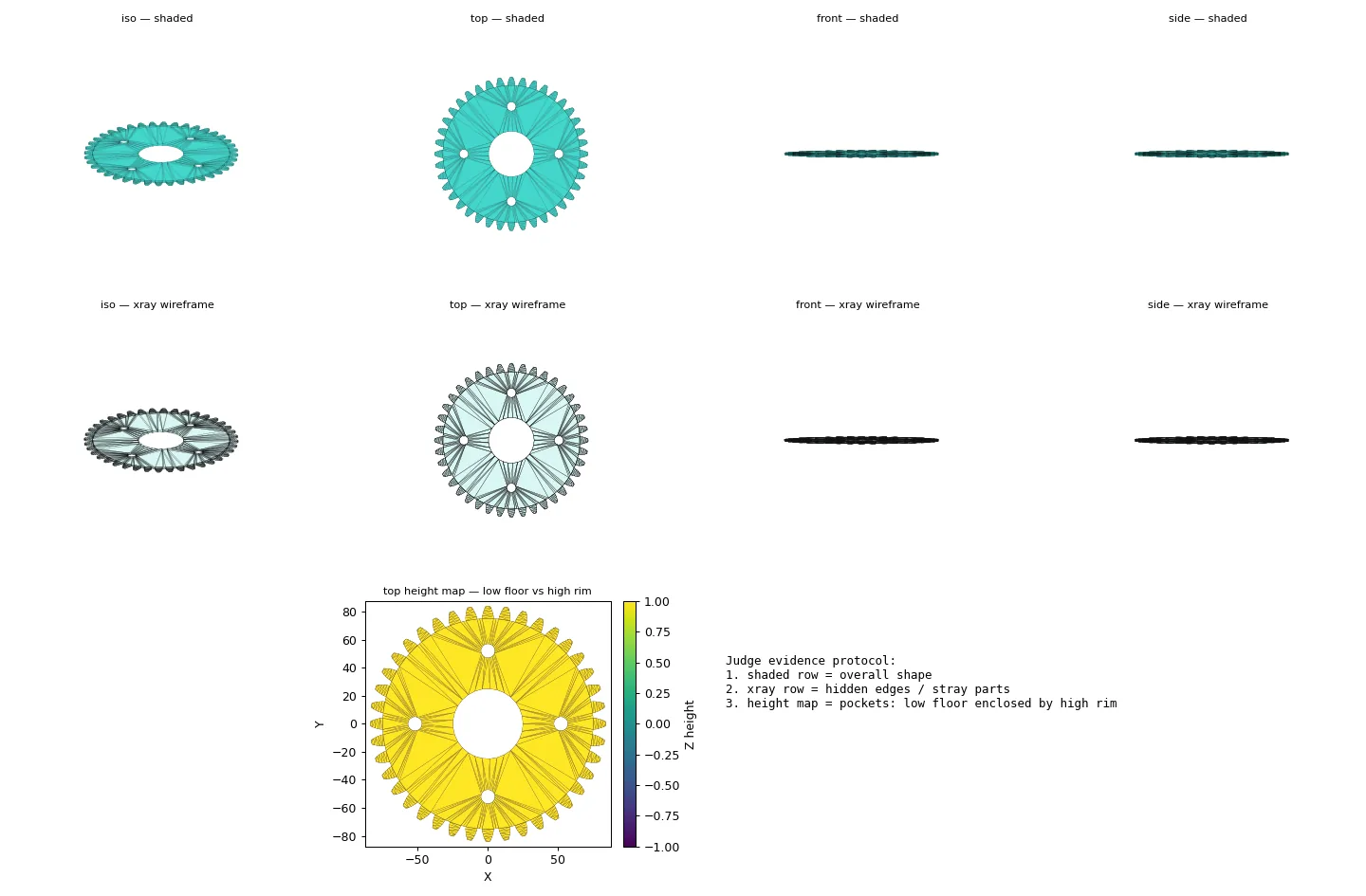
Practical questions
How can I make my own STL file for a replacement part?
Start with the mating dimensions and required function. Create a CAD model with those measurements and inspect it. Export the selected version as STL, then print a small fit test before committing to the full part.
Do I need CAD to create an STL?
An STL is a triangle mesh, so many tools can create one. For a dimensioned functional part, CAD keeps measurements and edits more reliable than changing mesh vertices.