
Workflow
Text to CAD for a measured functional part
Turn a written description into an editable CAD model by specifying what the part must fit and the dimensions that control it. This guide shows how to write a CAD prompt, distinguish measurements from assumptions and request a precise revision.
Turn a written requirement into a CAD brief
- Describe what the part must hold, locate, cover, or connect before describing its appearance.
- For a bracket, give both hole centers and their distance, then give overall width separately.
- Separate must-have dimensions from values that can remain adjustable.
Write the interfaces, not just the noun
Say what the part touches, holds or clears. Include hole diameters and spacing, mating sizes, wall thickness, available envelope and manufacturing method. These details give the generator constraints that can be checked after the model is built.
Generate a draft, then narrow the change
Start with a bounded first version and inspect the named parameters. Follow-up requests should identify one incorrect feature, its relationship to the rest of the part and the required value. Each accepted change creates another recoverable version.
Trace the written requirement into the result
Sizes distinguishes user-provided values from model defaults. Parts shows the feature structure, while Check records whether the geometry and prompt obligations were satisfied. This makes missing holes or invented dimensions easier to catch than in an opaque final mesh.
Text cannot replace a missing measurement
PurCad can choose reasonable defaults, but it cannot infer an exact physical fit from an unmeasured description. Mark approximations clearly and measure interfaces before ordering hardware, machining material or printing the final part.
Inspect an existing PurCad project
The 40-tooth chainring case records its dimensions, OCCT geometry checks and versioned exports. It is a CAD concept, not a proven riding component.
Read the case study (English)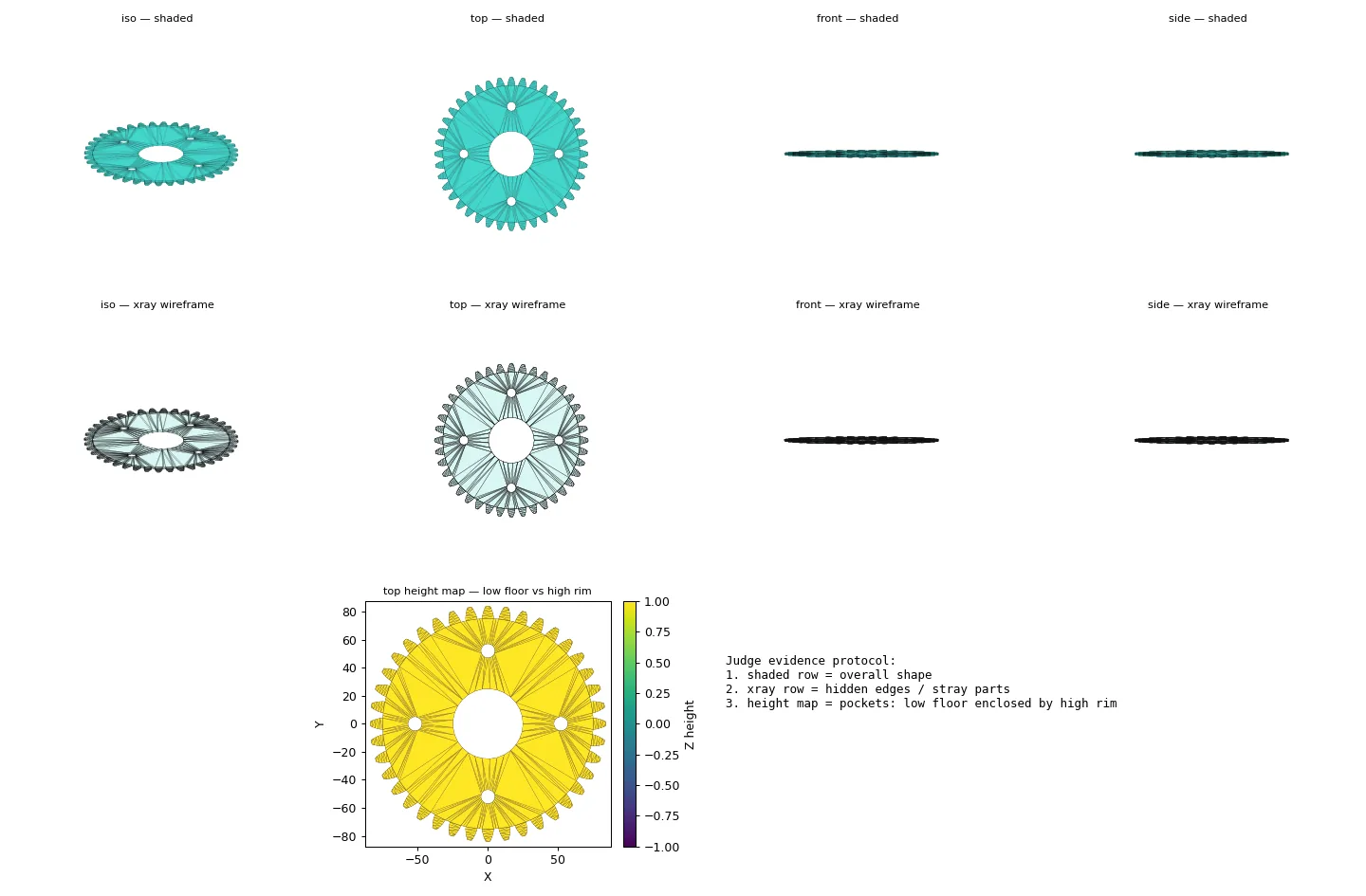
Practical questions
How do I convert text to CAD for a functional part?
Write a short requirement with function, interfaces, dimensions, and constraints. Then inspect the generated solid and revise the recorded dimensions rather than trusting a descriptive prompt alone.
Is text-to-CAD useful without a drawing?
Yes for a bounded part when you can measure its physical interfaces. State the mating faces, hole centers, diameters, and available space; those measurements establish fit more directly than a general shape reference.