
Workflow
Turn a measured text description into a printable STL
Describe a functional part with dimensions, review the generated CAD and export an STL for your slicer. This AI text-to-STL workflow creates parts from a written description; it is not a tool for extruding letters or names.
Specify a printable object, not extruded lettering
- State the functional object’s purpose and final dimensions in millimeters before asking for a printable mesh.
- List holes, wall thickness, clearance, and the printer or slicer constraints that affect the shape.
- Keep a CAD source or STEP handoff if you expect dimensional revisions after the mesh export.
Use text-to-STL for parts you can describe and measure
Brackets, spacers, clips, covers, trays and simple fixtures are good candidates because their interfaces can be stated as dimensions. Name what the part holds or touches, then provide the envelope, holes, wall thickness and clearances that matter.
Build CAD first, export STL second
Enter the requirement and inspect the generated model in the 3D viewport. Correct supported dimensions directly or request a focused structural change. When the selected version passes its blocking checks, prepare a fresh STL from that exact version.
Check the mesh in the slicer you will use
Compare slicer bounds with the dimensions shown in PurCad, inspect wall count and orientation, and confirm that small holes survived tessellation. Keep the editable project or a STEP export for changes after a fit test.
An STL file does not prove a successful print
PurCad can check bounded geometry facts, but printer calibration, material shrinkage, layer adhesion and real loads remain outside the file. Test mating interfaces and safety-relevant parts before use.
Real case study
From a bicycle frame opening to a physical TPU prototype
A complete PurCad workflow with a measured interface, editable parameters, slicer evidence and a printed prototype.
View the TPU bicycle-frame plug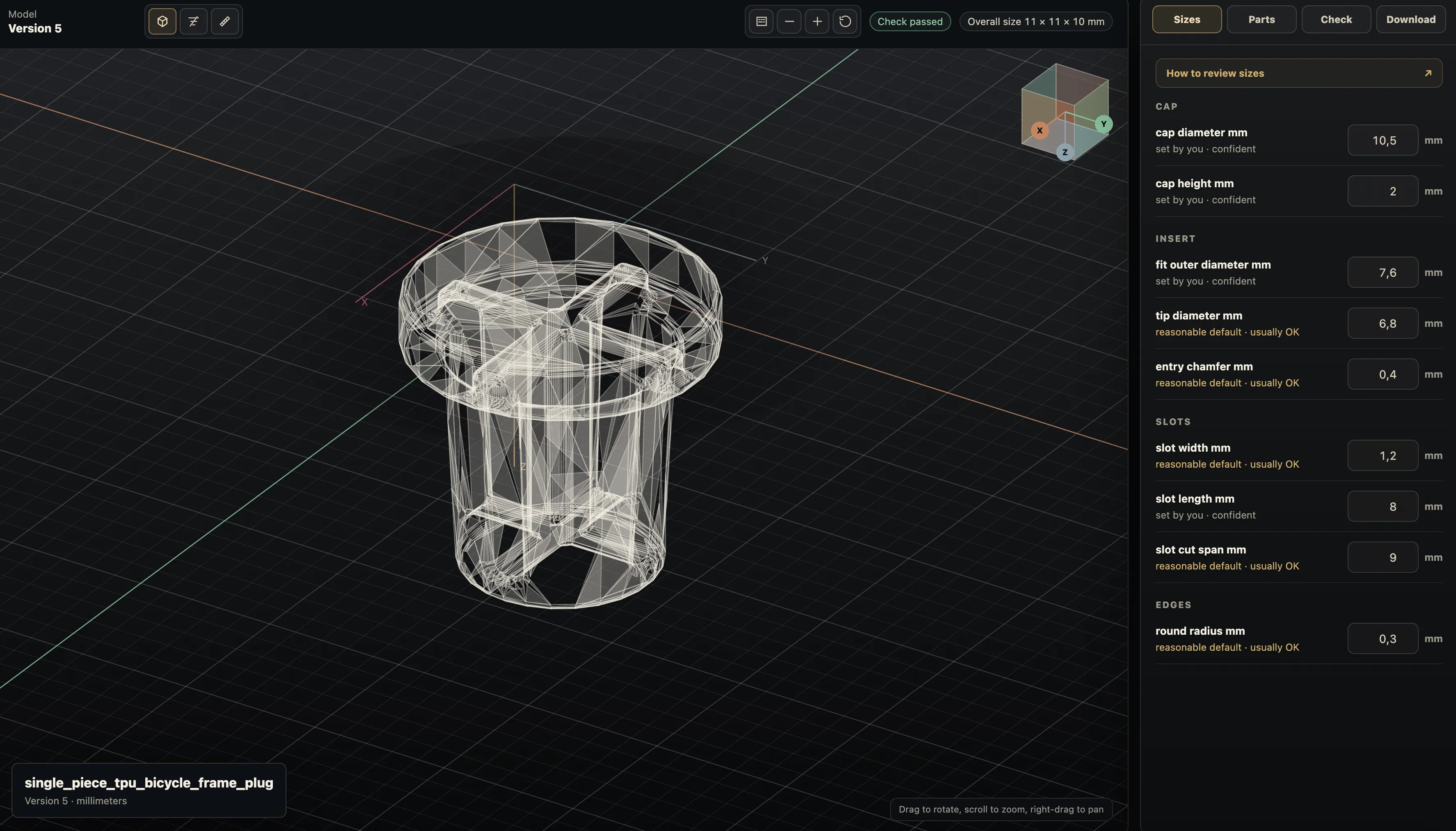
Practical questions
Can I make an STL from a text description?
A text requirement can describe a measured 3D part that is later exported as STL. This workflow targets functional CAD geometry, not a lettering extruder for names, logos, or flat signs.
What dimensions matter before exporting text-to-STL?
Give overall size, critical interfaces, wall thickness, holes, and clearance. Check the exported mesh in the actual slicer because STL scale is commonly interpreted as millimeters but does not reliably declare units.