
Workflow
Export CAD as STL for 3D printing
Export the selected CAD version as an STL mesh for a compatible slicer. Check its scale, holes and thin walls after import, and retain the source CAD so dimensional revisions can produce a fresh export.
Export an STL that the slicer can interpret
- Select the intended checked version and confirm its overall dimensions in millimeters.
- Inspect holes, thin walls, and separate bodies before tessellation.
- Open the STL in the target slicer and compare imported bounds with the CAD report.
Choose STL when the next tool expects a mesh
STL is appropriate for common slicing and mesh inspection workflows. Confirm that millimeter units are expected because STL itself does not carry a reliable unit declaration. Keep STEP or the PurCad project when future mechanical edits are likely.
Export only after selecting the right version
Review the model, resolve blocking checks and prepare the STL from Download. Artifacts are tied to the selected version. If dimensions change later, create a new export instead of renaming an older file.
Inspect the STL in the actual slicer
Confirm overall dimensions, orientation, manifold status and intended wall count in the target slicer. Compare the slicer bounds with PurCad's built geometry report and verify that holes or thin features survived tessellation.
A valid STL is not a validated print
The mesh does not encode material, load direction, tolerances or process settings. Calibrate clearance for the printer and material, then test critical interfaces. Preserve the parametric version as the source of truth.
Real case study
From a bicycle frame opening to a physical TPU prototype
A complete PurCad workflow with a measured interface, editable parameters, slicer evidence and a printed prototype.
View the TPU bicycle-frame plug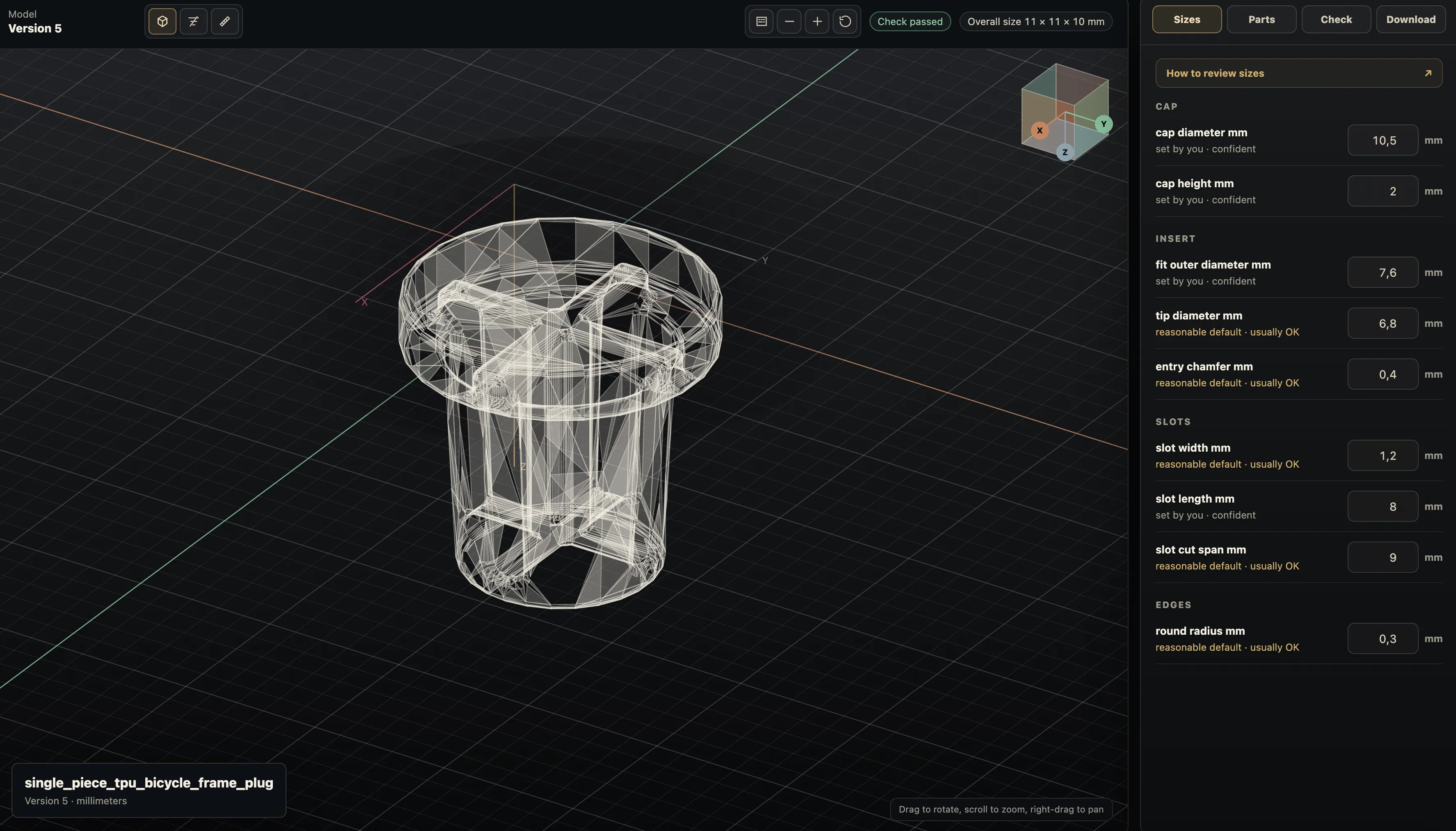
Practical questions
Why does an STL import at the wrong scale?
STL geometry does not reliably declare units, so a downstream tool may assume inches or millimeters differently. Confirm the slicer’s units and compare a known measurement before slicing.
Is STL editable CAD?
No. STL stores triangles for printing and mesh workflows, not parametric design intent. Make dimensional changes in the CAD source, then export a fresh mesh for the new version.