
Workflow
Export CAD as 3MF for a 3D-printing handoff
Export a checked model as 3MF for a compatible 3D-printing workflow. Understand how a geometry package differs from an STL mesh or a saved slicer project, then confirm units, orientation and print settings in the receiving application.
Choose 3MF for the right print handoff
- Confirm that the target slicer accepts 3MF and open a test import before delivery.
- Select the exact version and check its size, body count, and visible geometry.
- Keep printer profile, material, support, and layer decisions in the slicer workflow.
Choose 3MF when the slicer supports it well
3MF is useful for modern print pipelines that expect a packaged mesh container. Confirm the receiving slicer's support and keep the project units and bounds visible. Use STL when maximum legacy compatibility is more important.
Prepare one coherent download set
Select 3MF in Download, optionally add STEP or STL, and create the artifacts from the current version. Multiple files can be downloaded together, keeping the print mesh and mechanical handoff synchronized.
Validate the package in the target application
Open the 3MF in the real slicer and confirm size, body count and geometry. Package support varies by tool; check that the intended object is present and that no import scaling occurred before slicing.
The container cannot guarantee process settings
PurCad exports geometry and basic file structure, not a certified printer profile. Material, support, layer height and strength remain downstream manufacturing decisions. Test the printed result against its functional requirement.
Real case study
From a bicycle frame opening to a physical TPU prototype
A complete PurCad workflow with a measured interface, editable parameters, slicer evidence and a printed prototype.
View the TPU bicycle-frame plug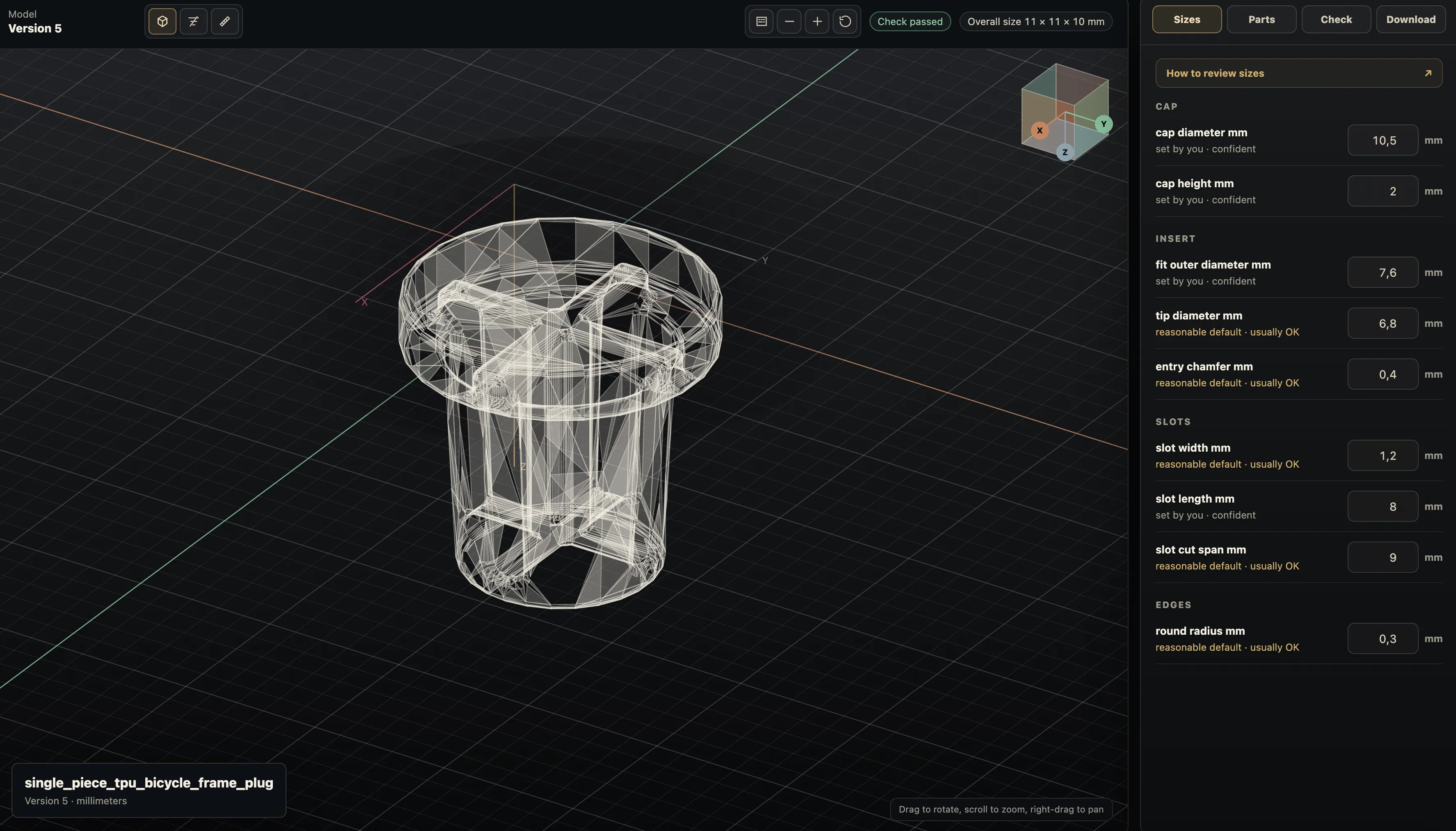
Practical questions
What is a 3MF file used for?
3MF is a packaged 3D-manufacturing format that can carry geometry in a modern print workflow. It is not a substitute for checking how a particular slicer interprets the package.
Should I use STEP, STL, or 3MF?
Use STEP for solid-geometry CAD or CAM handoff, STL for broad mesh compatibility, and 3MF for a slicer that supports its packaged print workflow. Keep the source CAD for dimension changes, then verify the chosen export in its receiving tool.