
Workflow
CAD for 3D printing with editable source geometry
Prepare a functional CAD model for 3D printing by checking fit, wall thickness, holes and the space around mating parts. Choose an STL or 3MF export, inspect it in your slicer and test the critical interface before printing the full part.
Prepare the design for the printer and the counterpart
- Set the model’s millimeter dimensions and measure the object the print must mate with.
- Specify wall thickness, clearance, fasteners, and surfaces that need support-free access.
- Select the export format your slicer accepts and verify its imported bounds.
State the manufacturing constraints
Include material intent, minimum wall, required clearances, support-sensitive holes and load direction. Describe how the part is mounted and which surfaces must fit another object. These facts matter more than a generic request to make something printable.
Generate, orient mentally and refine
Build a first version, inspect the world axes and use section view to understand internal geometry. Adjust named dimensions or request one focused feature change. Preserve earlier versions while the print orientation and interfaces are still being decided.
Check geometry before opening the slicer
PurCad reports built bounds, solid count, blocking issues and risk assumptions. Choose STL for broad slicer compatibility or 3MF for a modern packaged mesh workflow; keep STEP when another CAD tool or CAM stage needs solid geometry.
Printability still depends on the machine and material
A watertight file does not guarantee acceptable overhangs, strength, shrinkage or layer adhesion. Review the model in the target slicer and test critical fits. Load-bearing parts require material-specific design and physical validation.
Real case study
From a bicycle frame opening to a physical TPU prototype
A complete PurCad workflow with a measured interface, editable parameters, slicer evidence and a printed prototype.
View the TPU bicycle-frame plug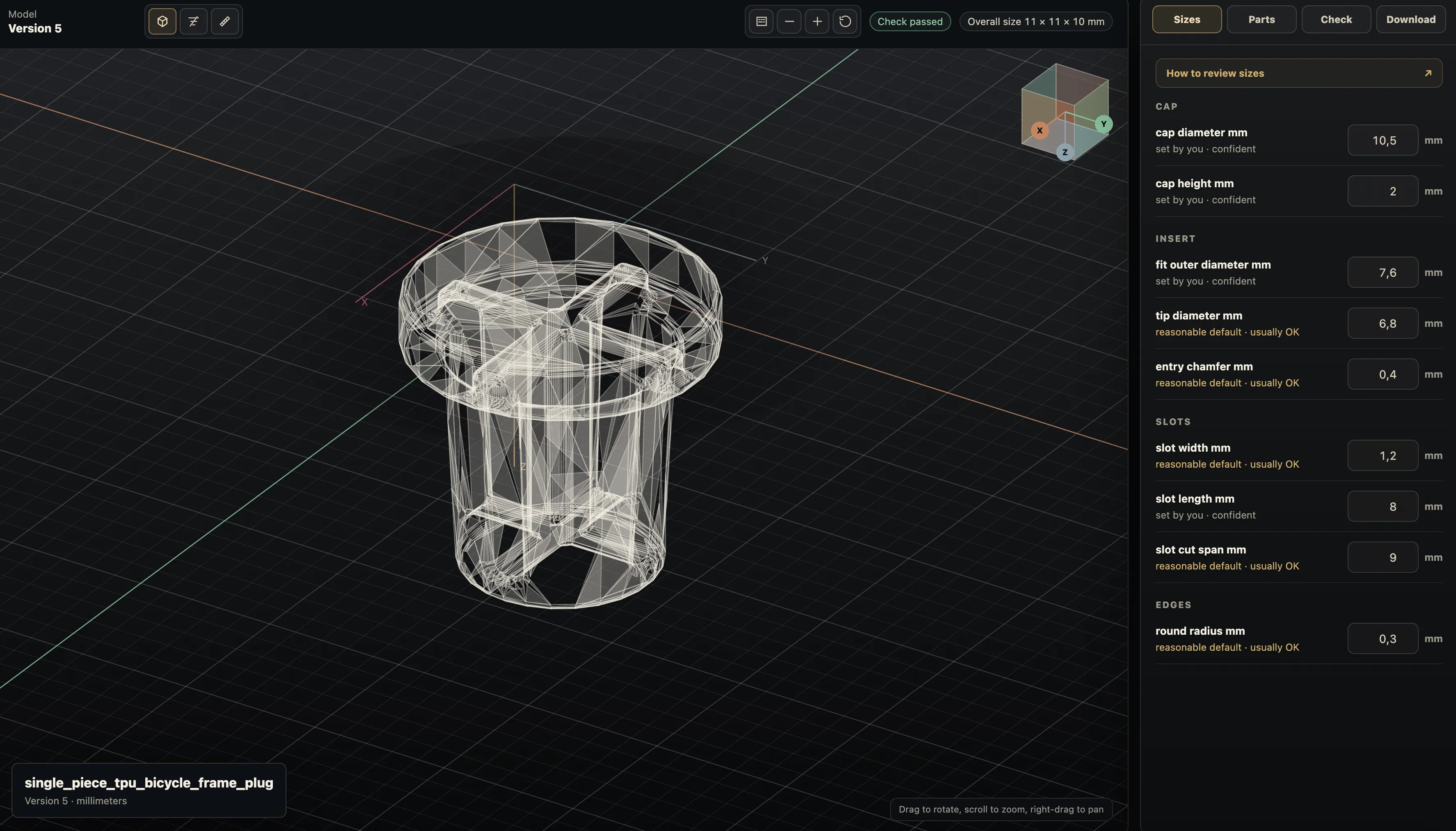
Practical questions
What makes CAD ready for 3D printing?
The geometry needs to match the intended size and have printable walls, openings, and interfaces for the chosen process. A successful export still needs slicer inspection and a physical test for critical fit.
Should I export STEP or STL for 3D printing?
Use STL or 3MF when the slicer needs a mesh. Keep STEP or the editable CAD project for future mechanical edits, because a mesh does not preserve the design’s dimensions and intent.