
Workflow
Generate an editable STEP file from a measured text prompt
Describe a functional part in plain language, include the dimensions that control fit, and build editable solid CAD before exporting STEP. PurCad keeps the written requirement, supported parameters, checks and selected version alongside the file.
Define the solid CAD handoff before generating STEP
- Describe the part’s function, mating interfaces, and critical dimensions in millimeters.
- State holes, clearances, wall thickness, body count, and the CAD or CAM system that will receive the file.
- Review the built solid and selected version, then compare imported STEP bounds in the receiving tool.
Use text-to-STEP for measured mechanical parts
Brackets, adapters, spacers, covers and fixtures are good candidates when their interfaces can be stated in millimeters. Include mating faces, hole diameters and spacing, overall envelope, wall thickness, clearance and the intended downstream CAD or CAM tool.
Build and refine solid geometry before export
PurCad turns the requirement into OCCT B-Rep geometry, exposes supported dimensions and records each accepted revision as a version. Change a named value directly or request one structural correction, then prepare STEP from the exact version you reviewed.
Check the STEP handoff in the receiving CAD system
Resolve blocking requirement and geometry checks, compare overall bounds and solid count, then open the STEP file in the target program. Recheck critical measurements after import because CAD kernels can represent names and topology differently.
STEP is editable geometry, not the original feature tree
A STEP file transfers B-Rep solid geometry, but it does not preserve PurCad prompts, provenance, version history or a receiving tool’s native feature tree. Keep the PurCad project and validation notes when another person must understand or revise the design intent.
Open the evidence
Inspect a real 40-tooth OCCT project
See the exact inputs, multi-view geometry evidence and honest boundary, then open the ready project in the editor.
View the chainring case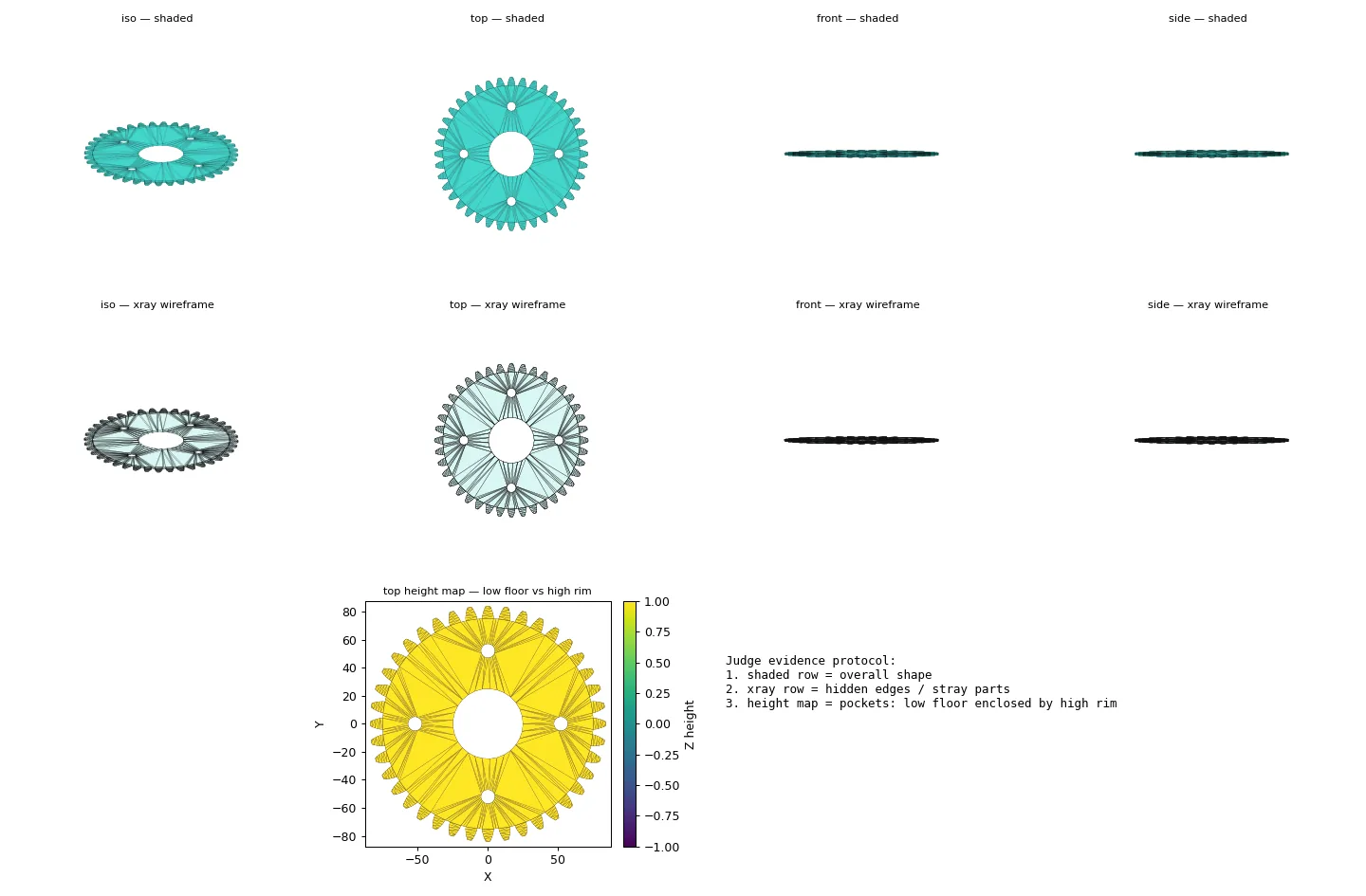
Practical questions
Can AI generate a STEP file from a text description?
Yes for a bounded functional part when the text includes measurable interfaces and constraints. PurCad first builds and checks editable B-Rep solid geometry, then exports STEP from the selected project version.
Does a STEP file keep the original feature tree?
STEP usually transfers solid geometry rather than PurCad’s prompts, provenance, version history, or a receiving CAD system’s native feature tree. Keep the source project and validation notes for later design changes.