
Workflow
Make a 3D-printable replacement part from measurements
Recreate a missing knob, foot, cover or other replacement part from the interfaces left on the original assembly. Measure the shaft, holes, stops and available space, then build a CAD draft and print a small fit test before the full replacement.
Set up your part in PurCad
Enter your measurements in millimetres. This prepares a request in the editor; review it before starting generation.
Measure the replacement part’s interface
- For a 6 mm D-shaft, measure its round diameter, across-flat width, and insertion depth separately.
- Record the original part’s function, material context, motion, load, and failure mode.
- Print or machine a small interface test before making the entire replacement.
Measure the surviving assembly
Record shafts, holes, stops, travel, contact faces and the available space around the missing part. Measure from stable datums on the surviving assembly. Broken fragments are useful evidence but may no longer represent the original dimensions.
Rebuild critical interfaces before cosmetic details
Generate a simple version that fits the shaft, fasteners or enclosure first. Add grip, cover or styling after a fit test. Keep wear-sensitive and mating dimensions editable so the replacement can be tuned without starting again.
Test fit, motion and failure consequence
Use section and measurement tools on the mating features, then print a low-cost test piece. Confirm full range of motion, assembly order and clearance under load. Compare the result with the intact surrounding components.
Do not replace certified safety parts casually
Brakes, guards, pressure components, electrical safety parts and human-supporting hardware may require certified materials and testing. PurCad can help produce a draft, but not authorize an unsafe substitution.
Real case study
From a bicycle frame opening to a physical TPU prototype
A complete PurCad workflow with a measured interface, editable parameters, slicer evidence and a printed prototype.
View the TPU bicycle-frame plug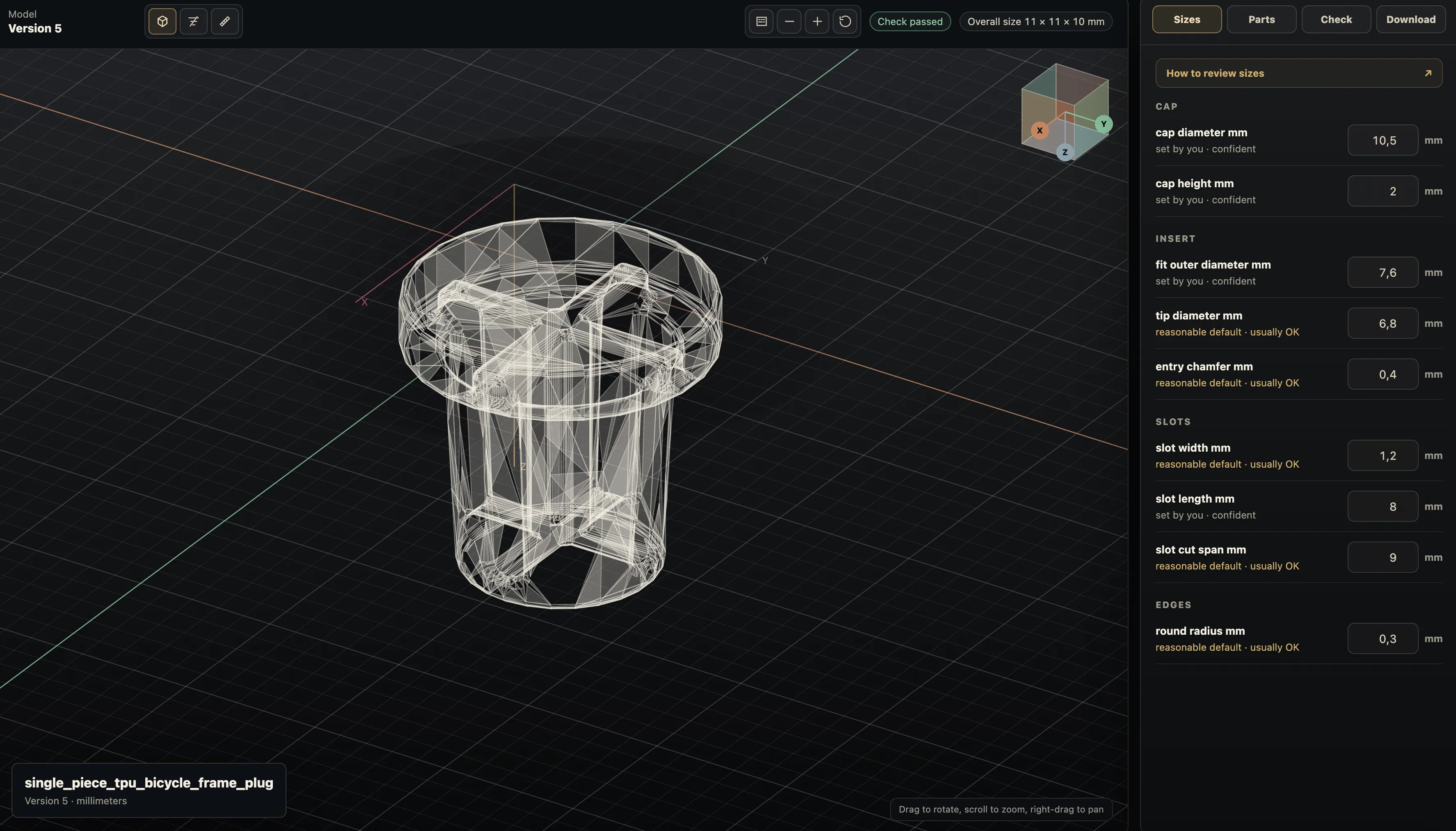
Practical questions
Can I make a replacement part from measurements?
Yes when you can measure the interfaces and explain what the part must do. For a 6 mm D-shaft, record diameter, across-flat width, and insertion depth; build and test that fit first.
Is a photo enough to reproduce a replacement part?
A photo can explain shape, but it does not establish dimensions, hidden features, or tolerances. Use caliper measurements and check the physical counterpart for a functional replacement.